Suno reads two things besides your words. The Style field describes the whole song, and a tag in square brackets at the top of each section tells it how that part should sound. The Sunofy tab holds both, section by section, and the Suno Assistant can suggest them for you.
1. Set the style for the whole song
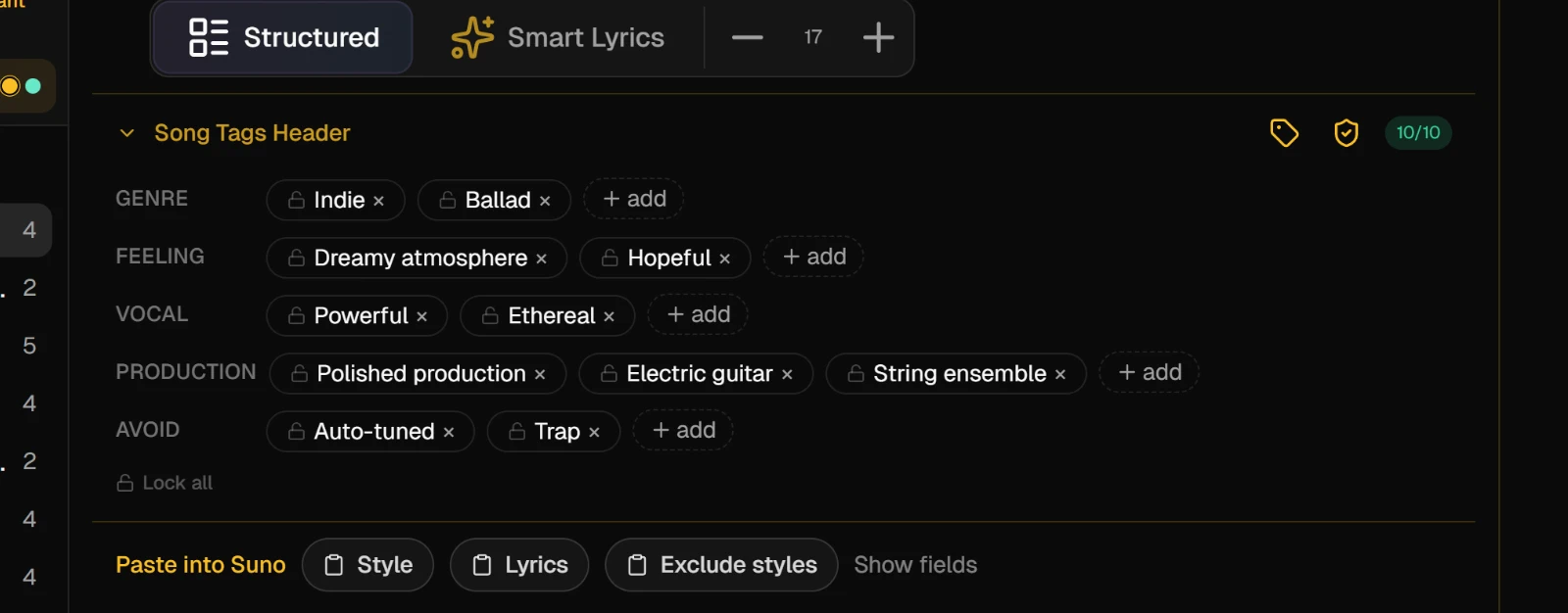
Open the song and press Sunofy at the top of the studio. Then press Song Tags Header above the first section to open the song's tags.
They come in five rows: genre, feeling, vocal, production and avoid. Press add at the end of a row to type a tag. Click a tag to change it, and use its cross to remove it. The avoid row is what Suno should leave out.
2. Tag a section by hand
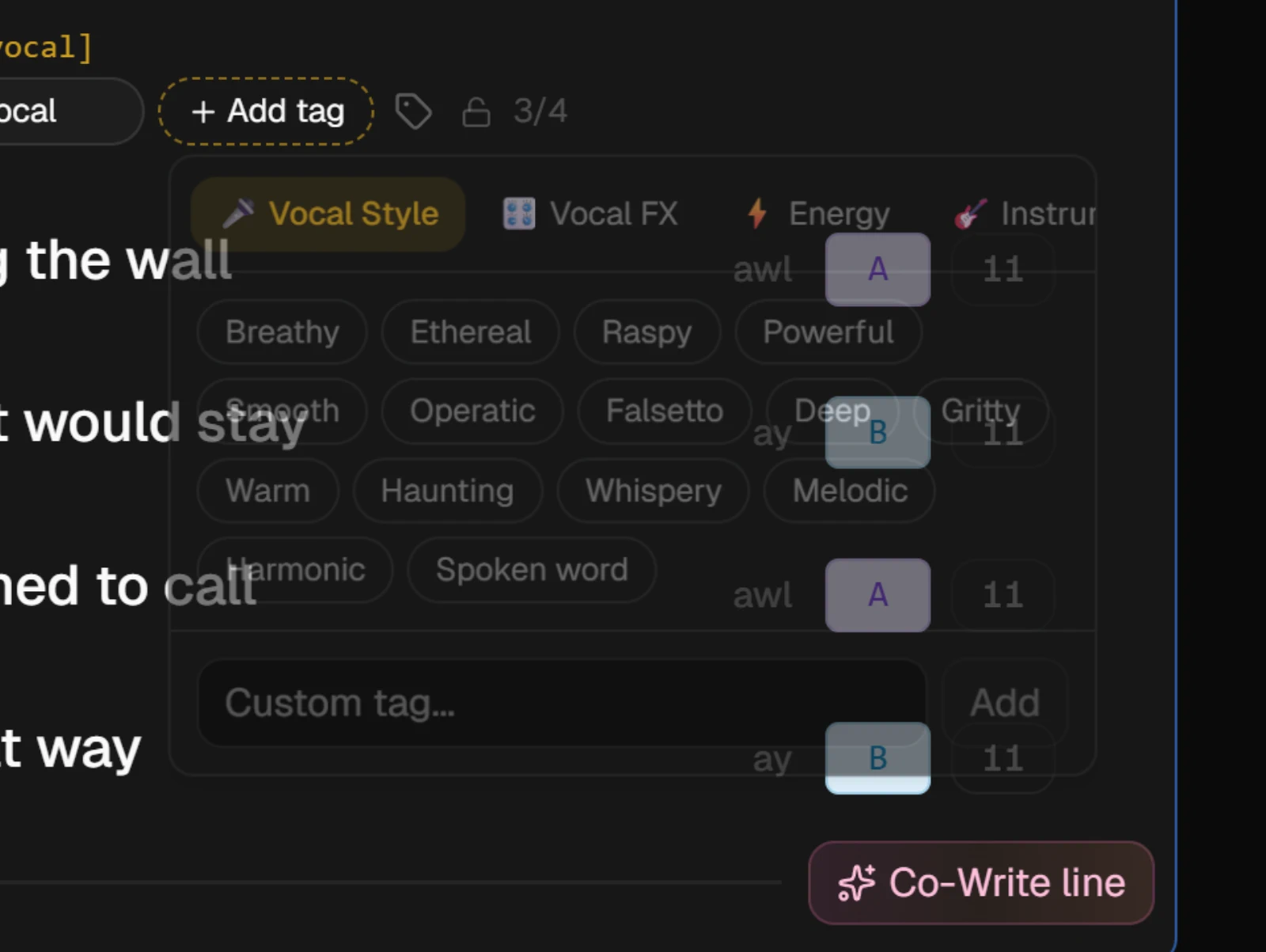
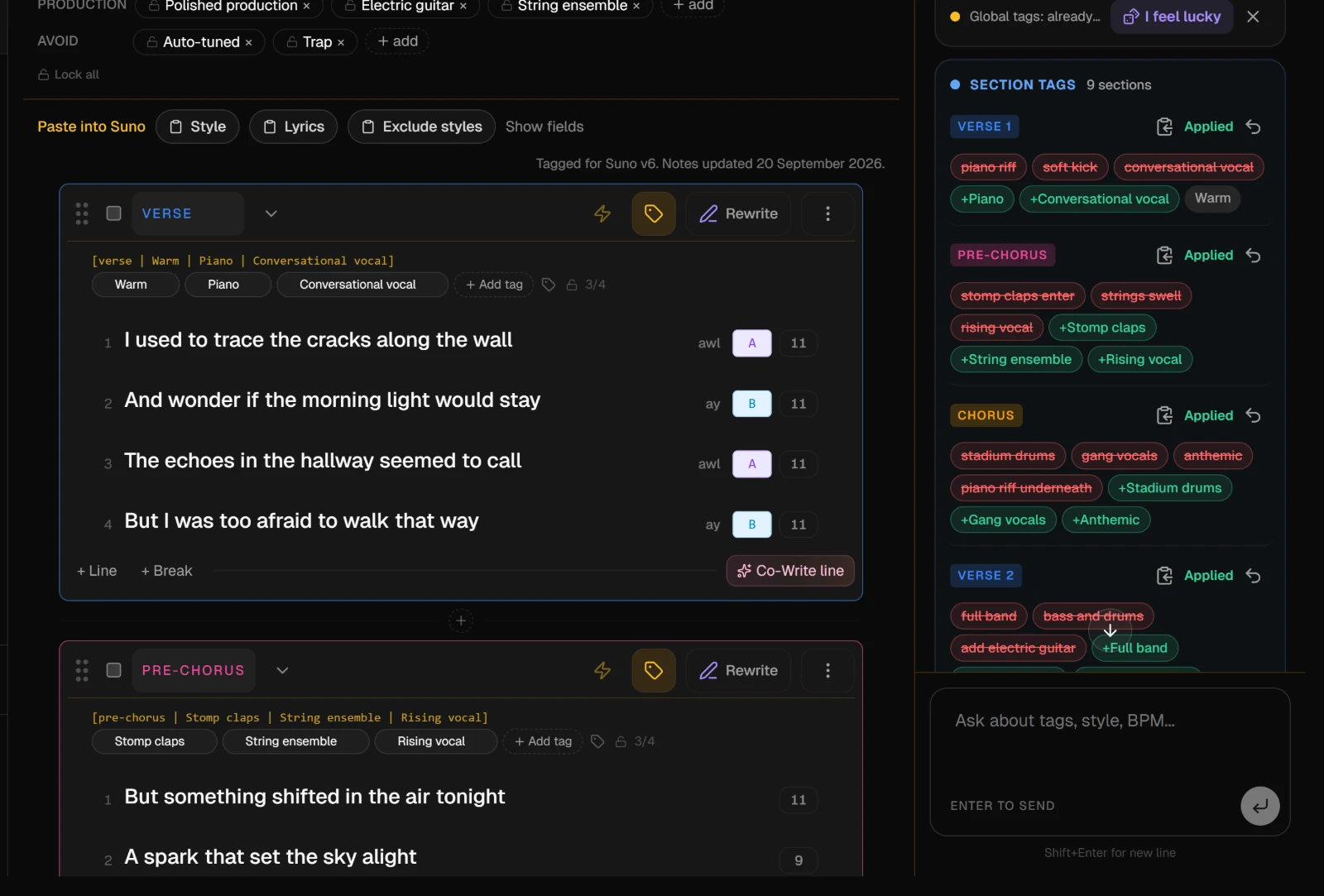
Each section on Sunofy has a row of tags under its header. An empty row suggests a few tags for that kind of section; click one to use it.
Add tag opens the catalog, grouped by family: vocal style, energy, instrument, feeling and more. Pick a chip, or type your own in the field at the bottom. A section holds up to four tags, and an instrumental section is not offered vocal ones.
The line above the chips shows the header Suno will read for that section.
3. Ask the Suno Assistant
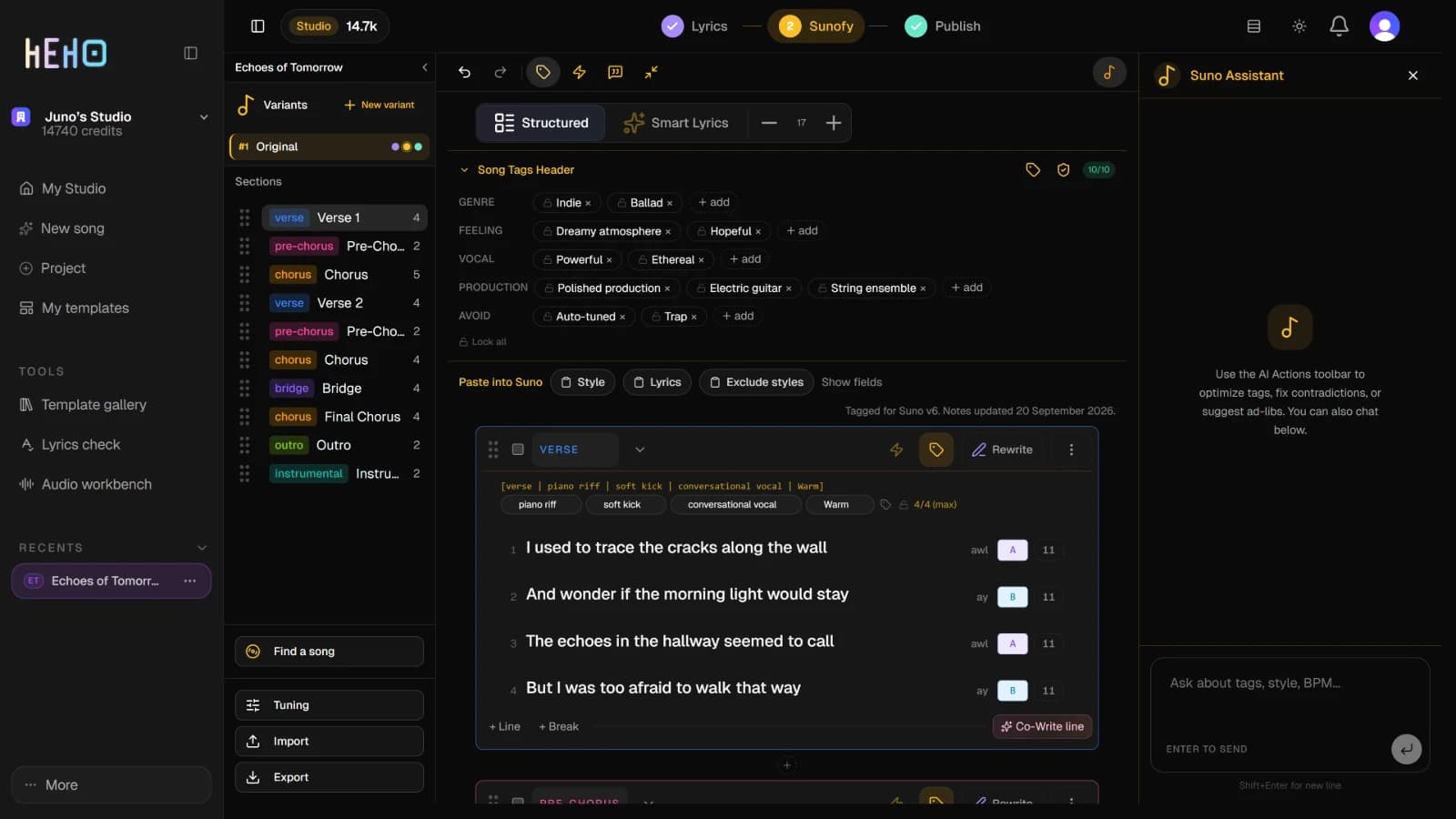
To tag everything at once, press the tag icon just after the undo arrows at the top of the editor. The Suno Assistant opens on the right and works through the style and every section. The three icons after it run the other actions below on the whole song.
To work on one section, open its actions with the lightning button in its header:
| Action | What it does |
|---|---|
| Optimize tags | Suggests tags for this section |
| Fix contradictions | Finds tags that conflict with each other and fixes them |
| Suggest ad-libs | Suggests short ad-libs in parentheses for lines that have none yet |
| Simplify tags | Removes redundant tags and keeps the ones that do the most |
You can also type a request in the assistant's chat, such as asking for a slower, more acoustic chorus.
4. Review the suggestions
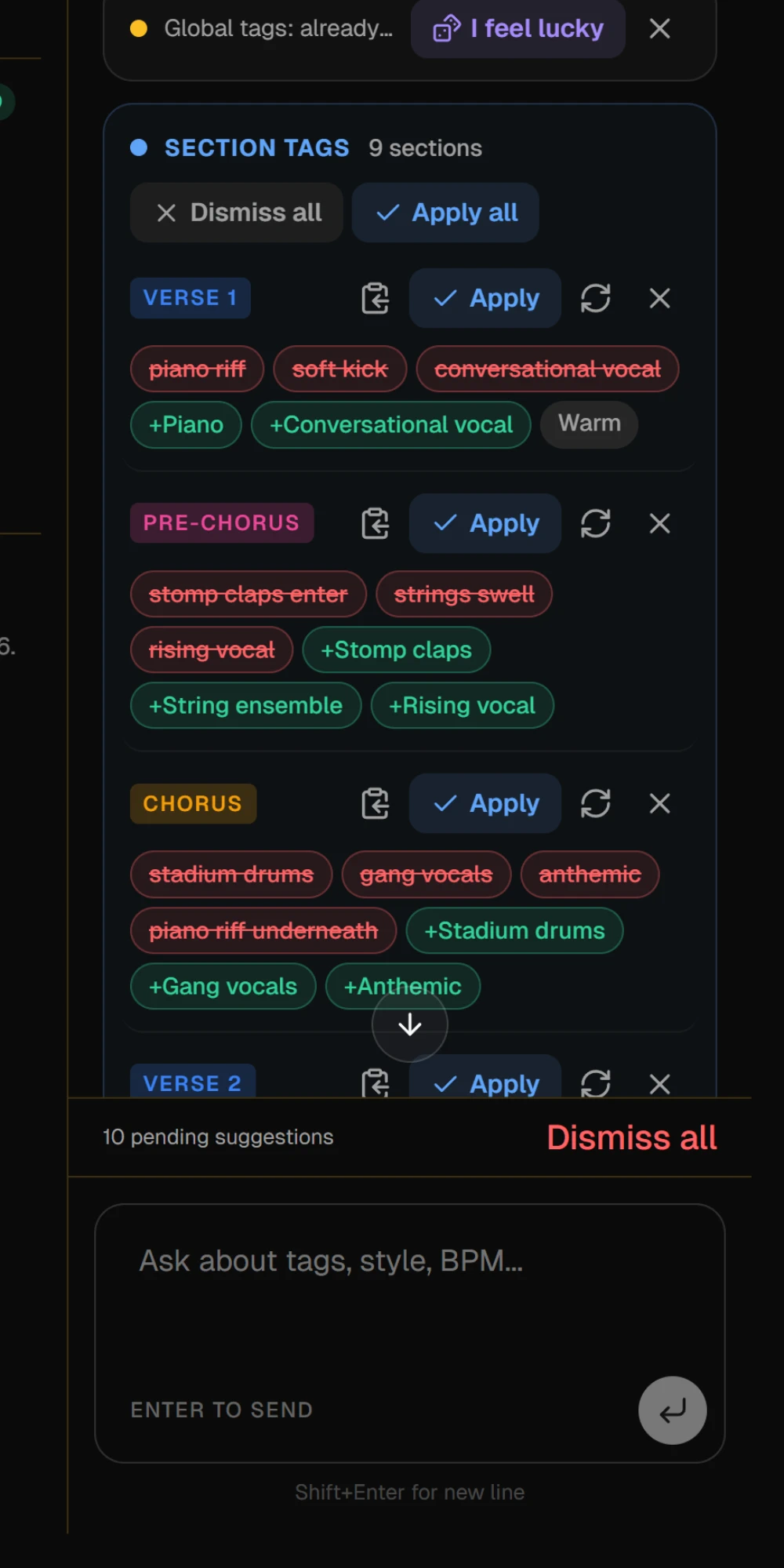
The answer comes back as a card, split into groups: Global tags for the style, Section tags for the sections, Ad-libs when you asked for them. Nothing is changed until you apply it.
- Apply all applies a whole group. Insert all does the same for ad-libs.
- Apply, Retry and Dismiss work on one suggestion at a time. Dismiss all drops the rest of a group.
- Copy tags puts a suggestion's tags on the clipboard without applying them.
- When a section needs nothing, the card says Looks good as it is. I feel lucky asks for a different take anyway.
5. Check the tagged sections
Applied tags appear in each section's row, and each applied suggestion on the card gets an Undo. The Lyrics tab shows the same tags on one line in each section's header, read only.
NoteThe lock icon on a tag, in the song's tags or a section's row, tells the assistant to keep that tag. It is an instruction to the AI, so check the card before you apply it.
On the free plan, each Suno Assistant turn uses one of the month's premium previews. When the song reads right, copy it into Suno.