When Suno has made a take you want to release, the Release Kit writes the words that go around it: titles and a description for YouTube, a hook and a script for TikTok, captions and hashtags, a track description and a one-line pitch. It works from the variant you are on, so each variant has its own kit.
1. Open the Release Kit
Open the song, pick the variant in the Variants list, and press Publish at the top of the studio. Publish opens on Synced lyrics. Press Release Kit beside it.
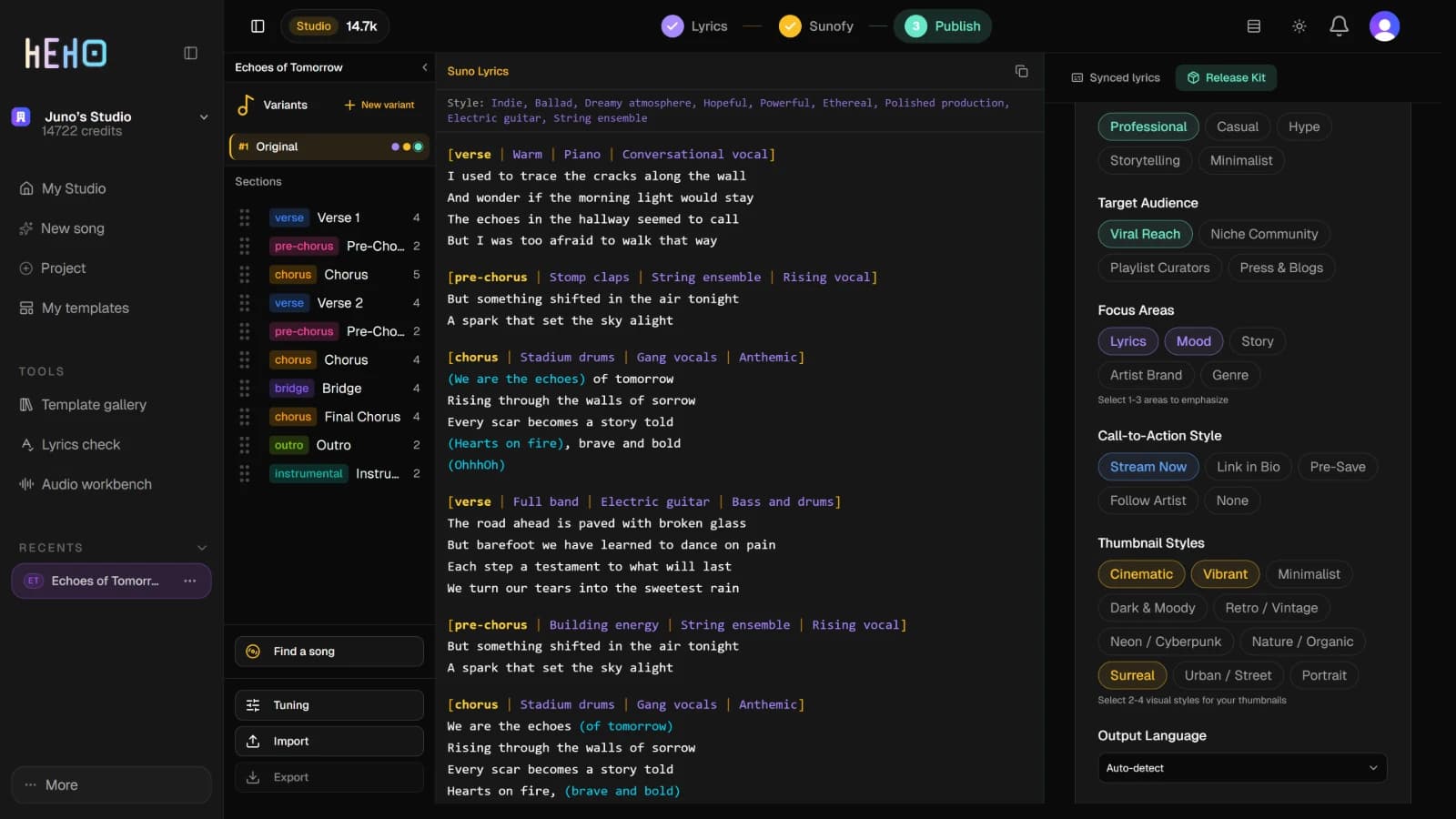
On the left, Suno Lyrics shows the variant's words with their tags, and the Style line above them. The copy icon in its corner copies both.
2. Set the direction
The setup card holds six choices. Each one starts on a default, so change only what matters for this release.
| Setting | Choices |
|---|---|
| Tone | Professional, Casual, Hype, Storytelling, Minimalist |
| Target Audience | Viral Reach, Niche Community, Playlist Curators, Press & Blogs |
| Focus Areas | Lyrics, Mood, Story, Artist Brand, Genre. Pick one to three. |
| Call-to-Action Style | Stream Now, Link in Bio, Pre-Save, Follow Artist, None |
| Thumbnail Styles | Ten looks, from Cinematic to Portrait. Pick two to four. You get one thumbnail prompt per style. |
| Output Language | The language the kit is written in. It starts on the song's language. |
Advanced options adds Keywords, words or phrases the kit should work in. Then press Generate Release Kit. A placeholder fills the panel while the kit is written.
The kit reads the song's title, artist, mood and theme, the variant's sections and lines, and the variant's song-wide genre, mood, vocal and production tags from Sunofy. If the variant has no tags yet, tag it first and the kit has them to work from.
3. Read the kit, tab by tab
The kit opens on YouTube. The tabs across the top hold the rest.
| Tab | What it holds |
|---|---|
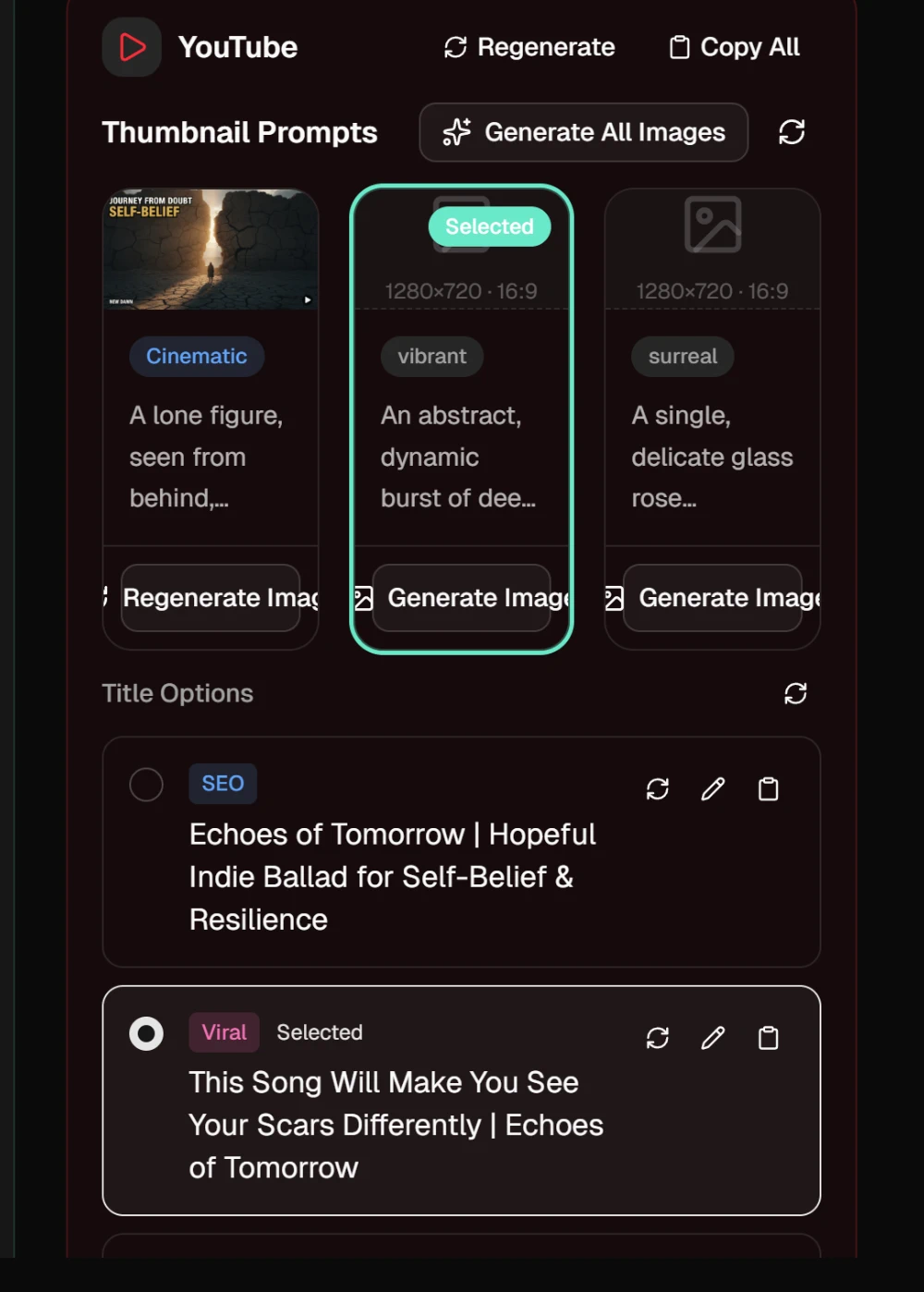
| YouTube | Thumbnail Prompts, Title Options, Description and Tags |
| TikTok | Hook Line, Video Script, Caption and Hashtags |
| Caption, Hashtags and Story Text | |
| Distribution | A Track Description for streaming services, a one-sentence Pitch, and Generate Video Plan for a music video plan |
Each title option carries a badge: SEO, Viral or Descriptive. Click the one you want and it is marked Selected. Editing or regenerating the titles leaves the mark where it is. Some fields show a character count against a length limit, and the count turns red when the text runs over.
4. Turn the thumbnail prompts into images
Each thumbnail prompt sits on a card with an empty 16:9 frame. Press Generate Image on a card, or Generate All Images for every card that has no image yet. Click a card to make it the thumbnail you use. It is marked Selected.
Click a finished image to see it full screen, with Download at the top. Regenerate Image first asks for extra instructions, then Regenerate makes a new one. To change a prompt before you use it, rest the pointer on its card, press the pencil, edit the text and press Done.
5. Edit, regenerate and copy
Description, Hook Line, Video Script, Caption, Story Text, Track Description and Pitch each have three small icons at the top right:
- The pencil opens the text for editing. Save keeps your version, Cancel drops it.
- The circular arrow writes a new version of that field alone. Type what should change, or leave the box empty, and press Go.
- The clipboard copies the field.
Tags and Hashtags have the circular arrow but no pencil, and Copy Tags or Copy Hashtags copies the whole list ready to paste. Regenerate, at the top of each card, rewrites the whole card, but the thumbnail images on YouTube and the video plan on Distribution stay. Copy All, at the top of every card, copies the card in one block, with the selected title and thumbnail prompt. Regenerating keeps the kit's tone, audience and language, but not its focus areas, keywords, call-to-action style or thumbnail styles.
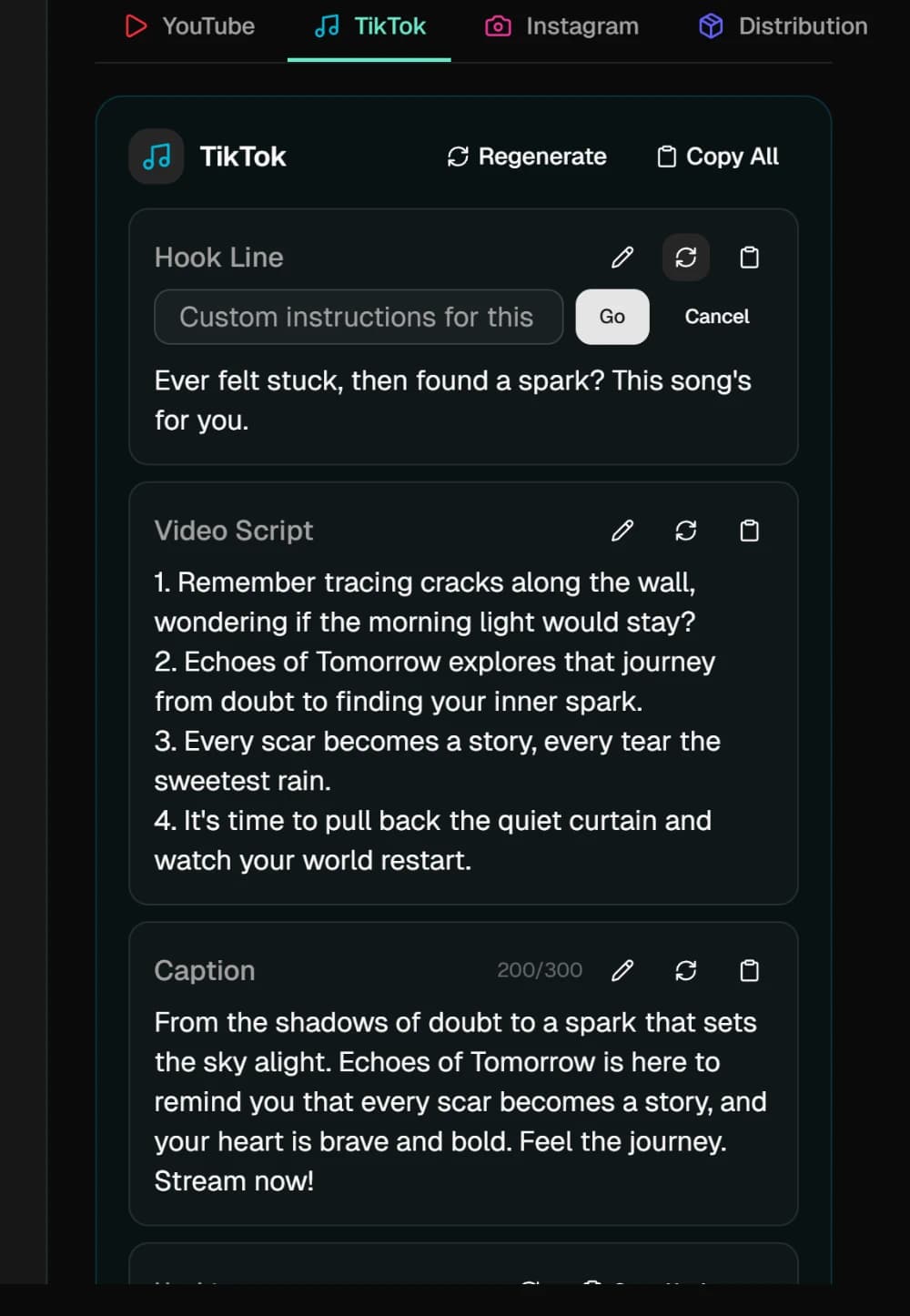
WarningA card's Regenerate writes over every field on it, your edits included. To change one thing, use that field's circular arrow instead.
6. Start again
The bar above the tabs says when the kit was generated. Regenerate there writes a whole new kit from the settings this one was made with, without your edits, images or video plan. Delete removes the kit at once, with no confirmation. If you had regenerated before, the kit before it comes back. The setup card returns once the variant has no kit left.
The kit and every regeneration of a card or field use AI credits, and on the free plan each one also uses one of the month's premium previews. When those are used up, the button opens an upgrade prompt instead. Thumbnail images use AI credits on every plan and never a premium preview.