Tuning is a short brief for one song: what language it is in, what it is about, how it should feel, which words it must use or never use, and how closely a rewrite keeps the line it replaces. The Lyrics Assistant reads it on every turn, and so do the section actions: Rewrite section, Fix meter, Add lines and Co-write with AI. The line suggestions in Smart Lyrics read the song's language, theme and mood.
1. Open Tuning
Open the song. At the bottom of the left sidebar, under the list of sections, press Tuning. When the sidebar is collapsed, it is the sliders icon.
A new song starts with whatever you set when you created it.
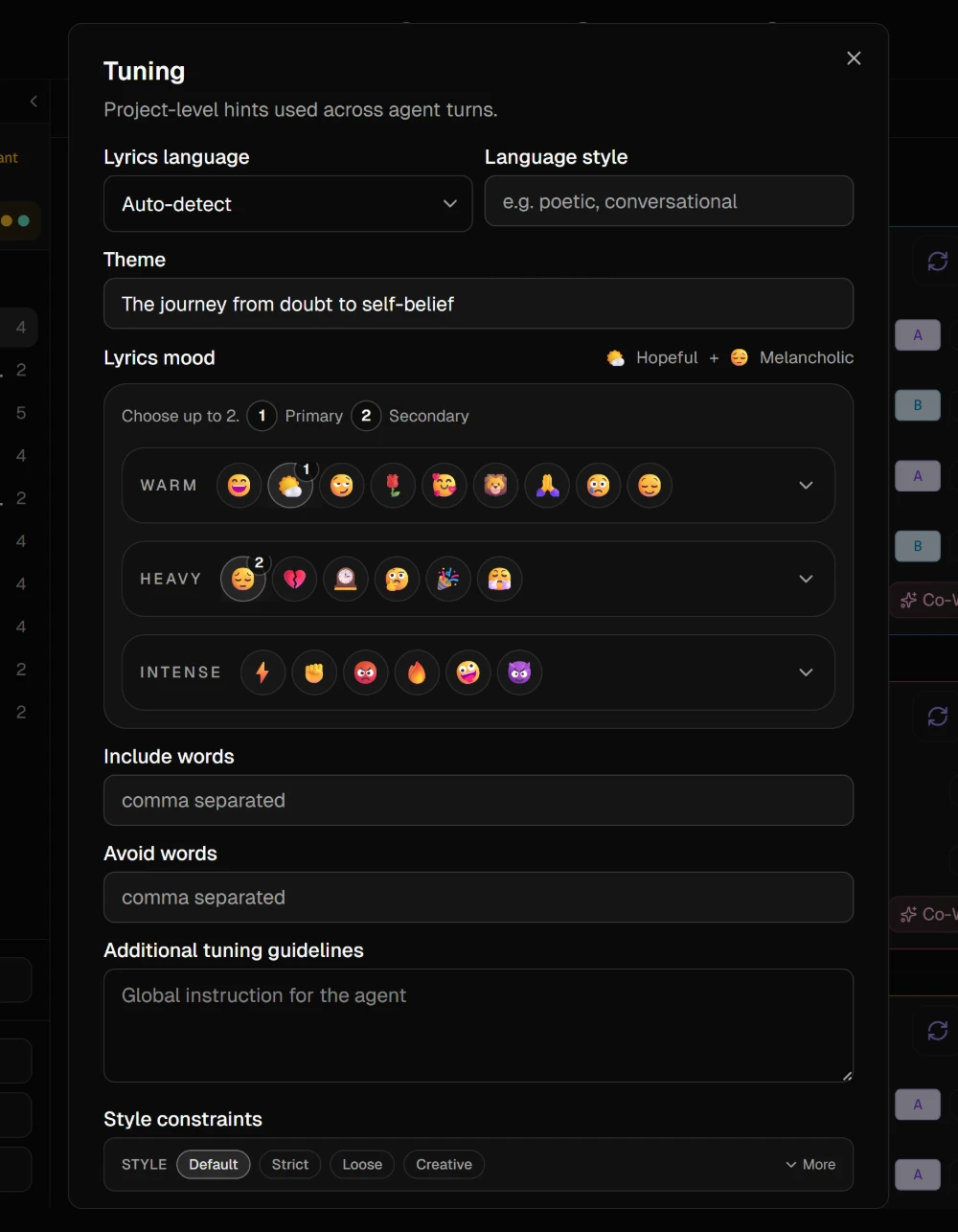
2. Say what the song is
| Field | What to put there |
|---|---|
| Lyrics language | Leave it on Auto-detect to write in the language of the lyrics, or pick one |
| Language style | A few words on how it should sound, such as poetic or conversational |
| Theme | What the song is about, in one line |
| Lyrics mood | Up to two moods. The first is the main one |
| Include words | Words the AI should work in, separated by commas |
| Avoid words | Words it should never use, separated by commas |
| Additional tuning guidelines | One standing instruction for every turn, up to 600 characters |
TipAvoid words is where the phrases every AI song reaches for go: neon, forever, fire, whatever you are tired of reading.
3. Set how closely a rewrite keeps the line
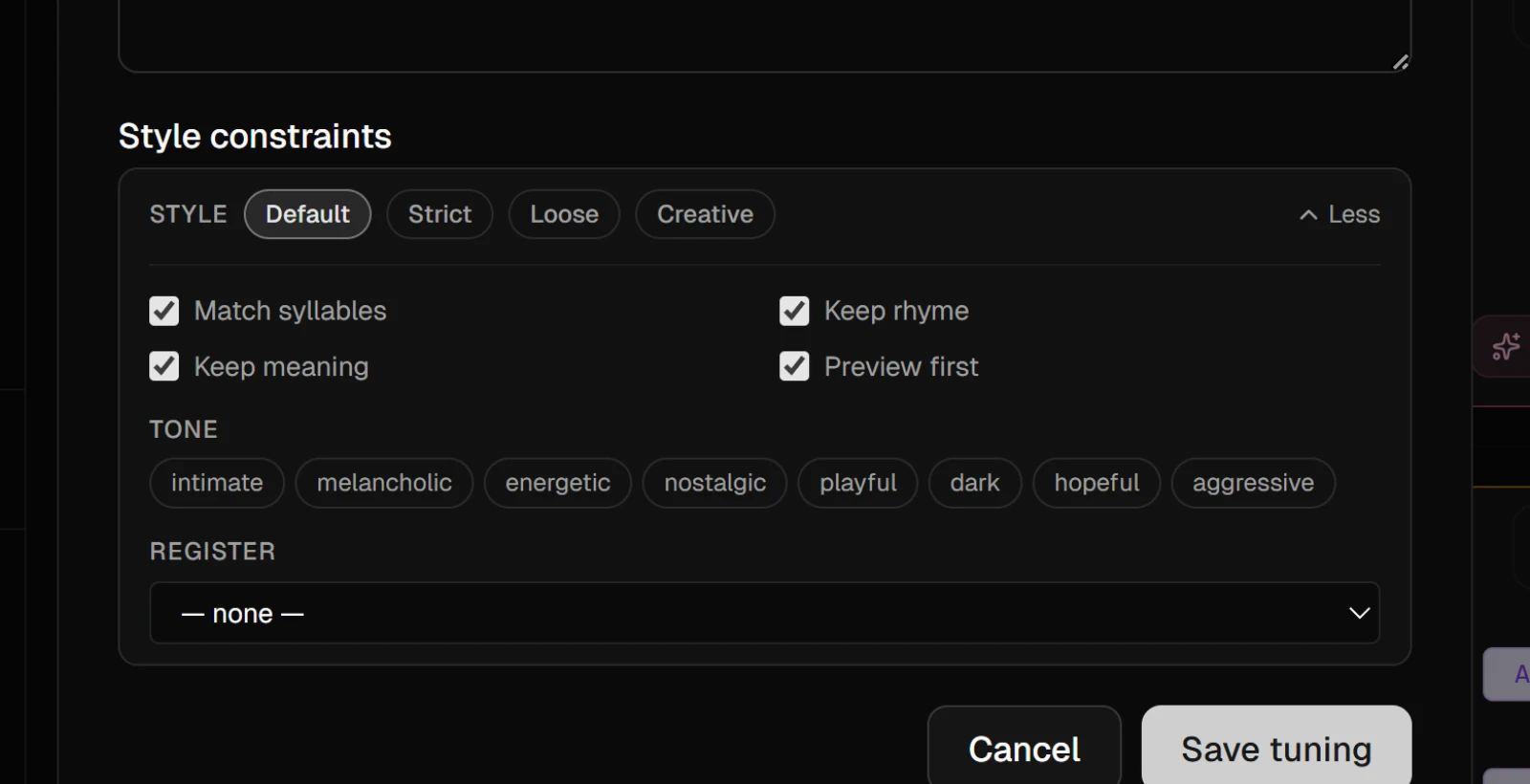
Style constraints at the bottom of the dialog decide what a rewrite has to keep:
- Default and Strict keep the syllable count, the rhyme and the meaning.
- Loose keeps the syllable count and lets the rhyme and the meaning move.
- Creative lets all three move.
More opens the switches behind the presets, plus Tone and Register. Change a switch and the preset reads Custom.
4. Save
Press Save tuning. Tuning is saved with the song, so the song opens with the same brief on another computer, and the Tuning sheet in the mobile app saves to the same place.
NoteStyle constraints last while the song is open. When you reload or come back later, they start from Default again.
Tuning costs nothing. The AI actions that read it use credits as they always do.