The Lyrics tab shows a song two ways. Structured is the default: every section is a card, and every line carries its syllable count and rhyme letter. Smart Lyrics turns the song into one page of text and puts a rhyme search and line suggestions beside it. The toggle between them sits above the song. Both views edit the same words.
1. Read the song's shape
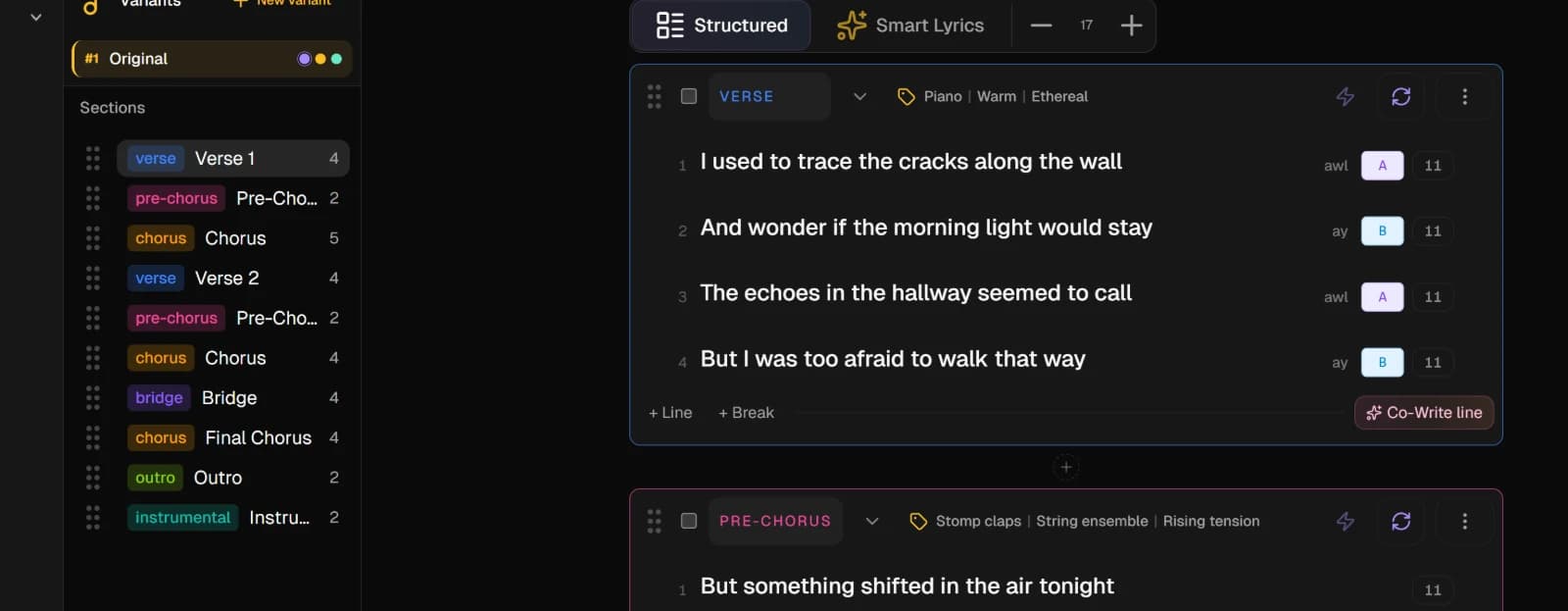
In Structured, the left column lists the song's Sections in order. Click one to jump to it.
Each card shows the section's type, then its lines. The number beside a line is its syllable count; click it to count again after an edit. The letter, when a line has one, is its rhyme letter: lines that rhyme share a letter. Sync metrics, in each section's AI actions, fills in the counts and letters for the whole section.
2. Add a section
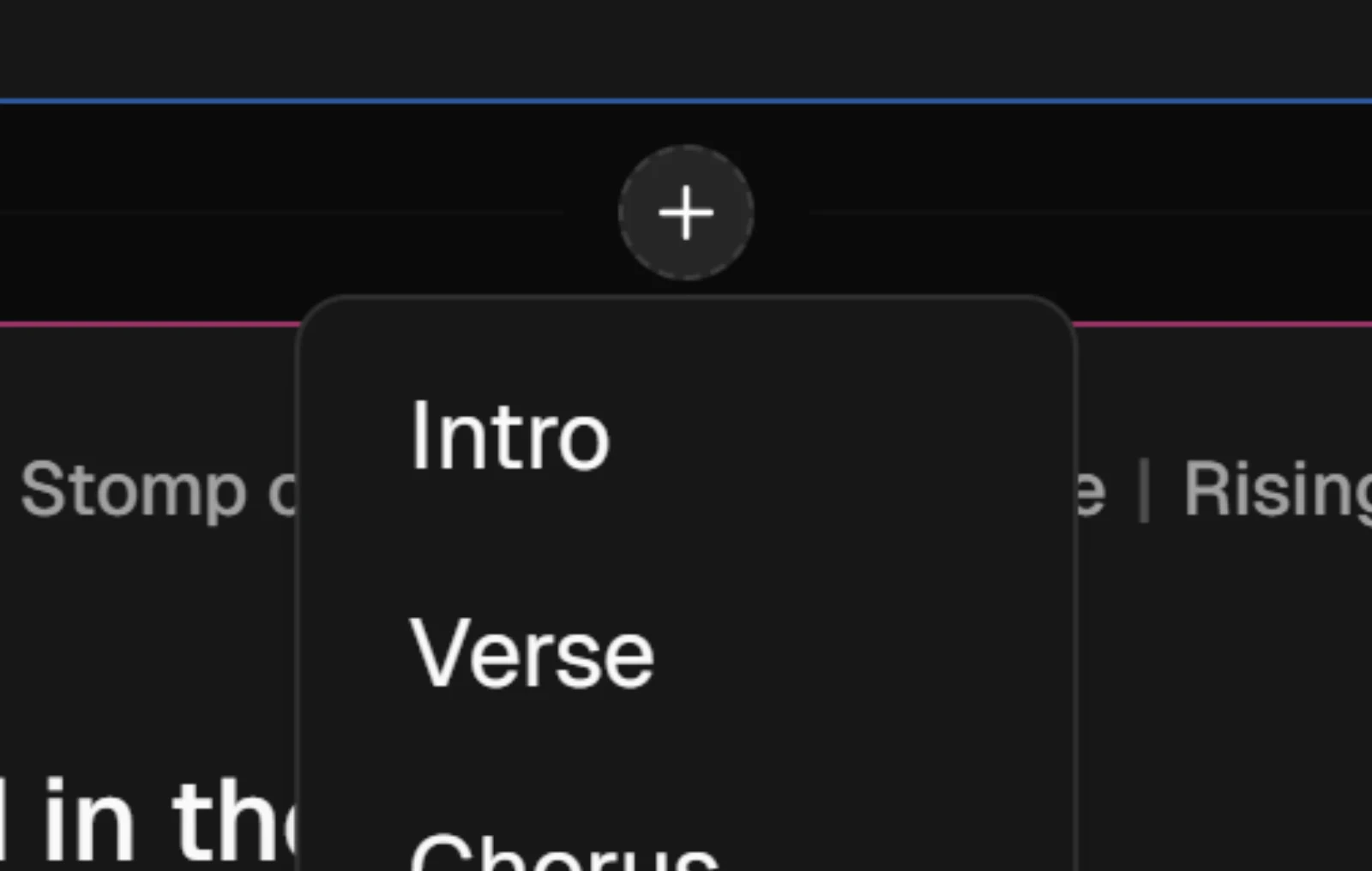
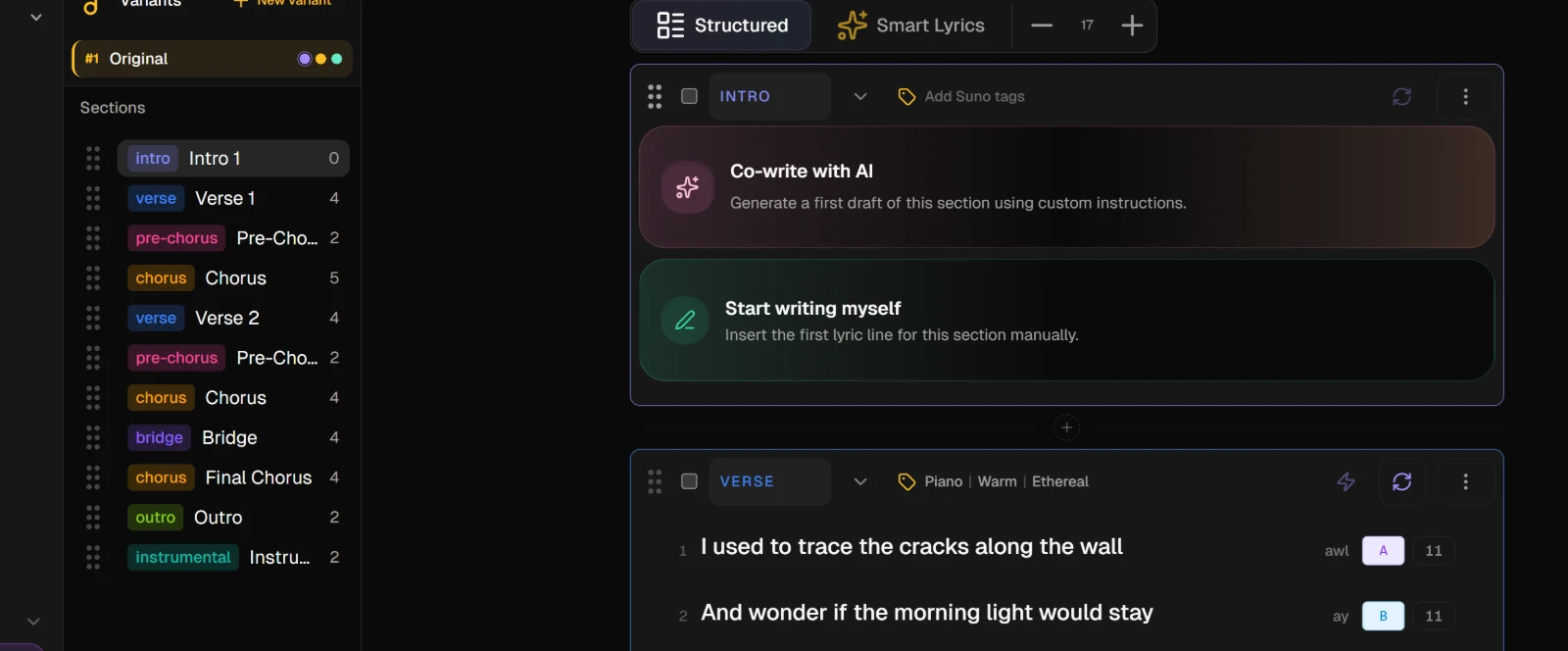
Press the + between two cards and pick a type: Intro, Verse, Chorus, Bridge and the rest. The new section appears at that spot, empty, and offers Co-write with AI or Start writing myself.
To add a line inside a section, rest the pointer between two lines. + Line adds an empty line, + Break adds a pause, and Co-Write line asks the AI for lines that fit that gap.
3. Move a section
Drag a card by its handle to a new place, or drag its row in the outline. The section menu, the three dots on each card, also has Up and Down, as well as Rename, Duplicate and Delete.
4. Switch to Smart Lyrics
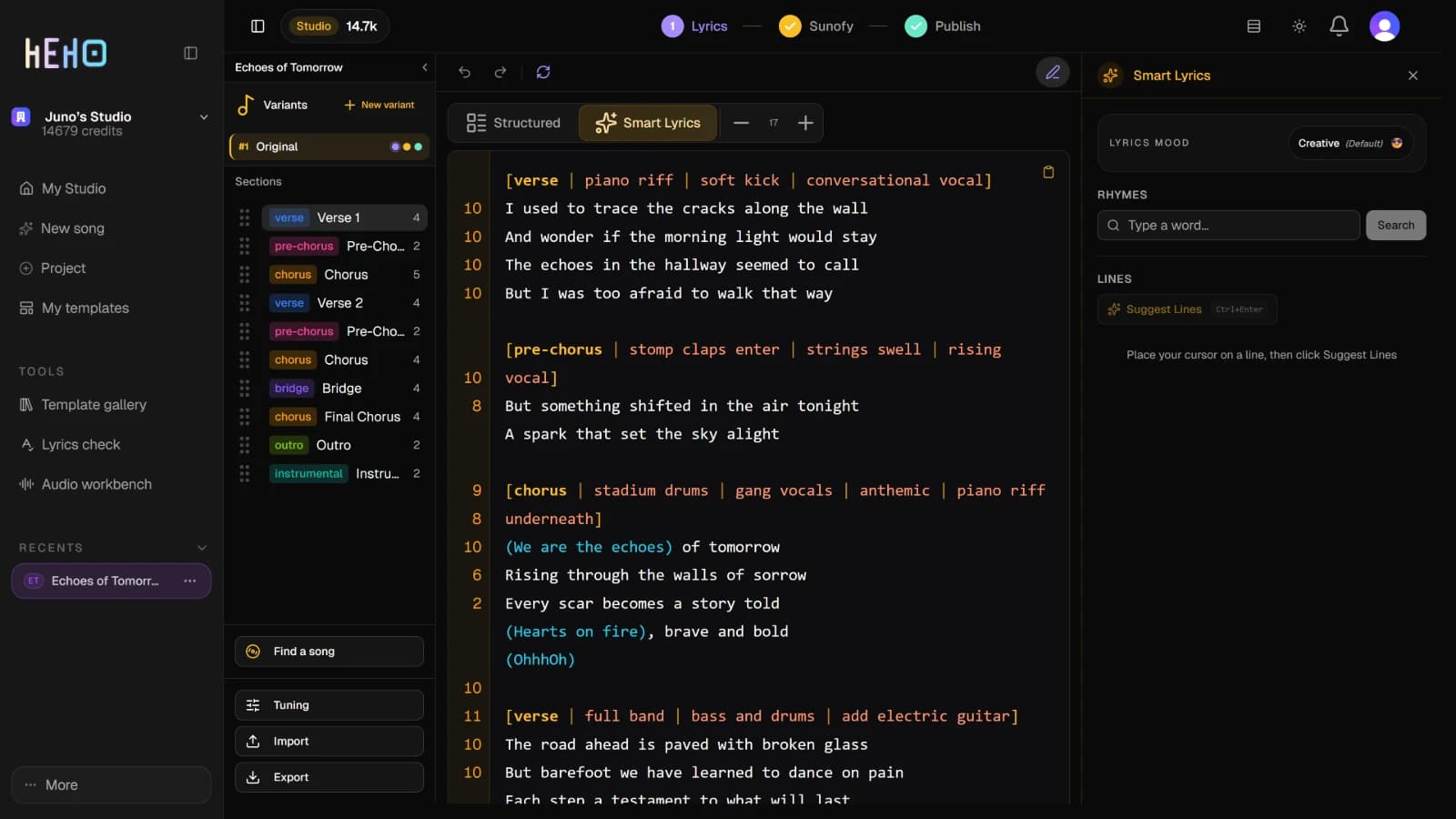
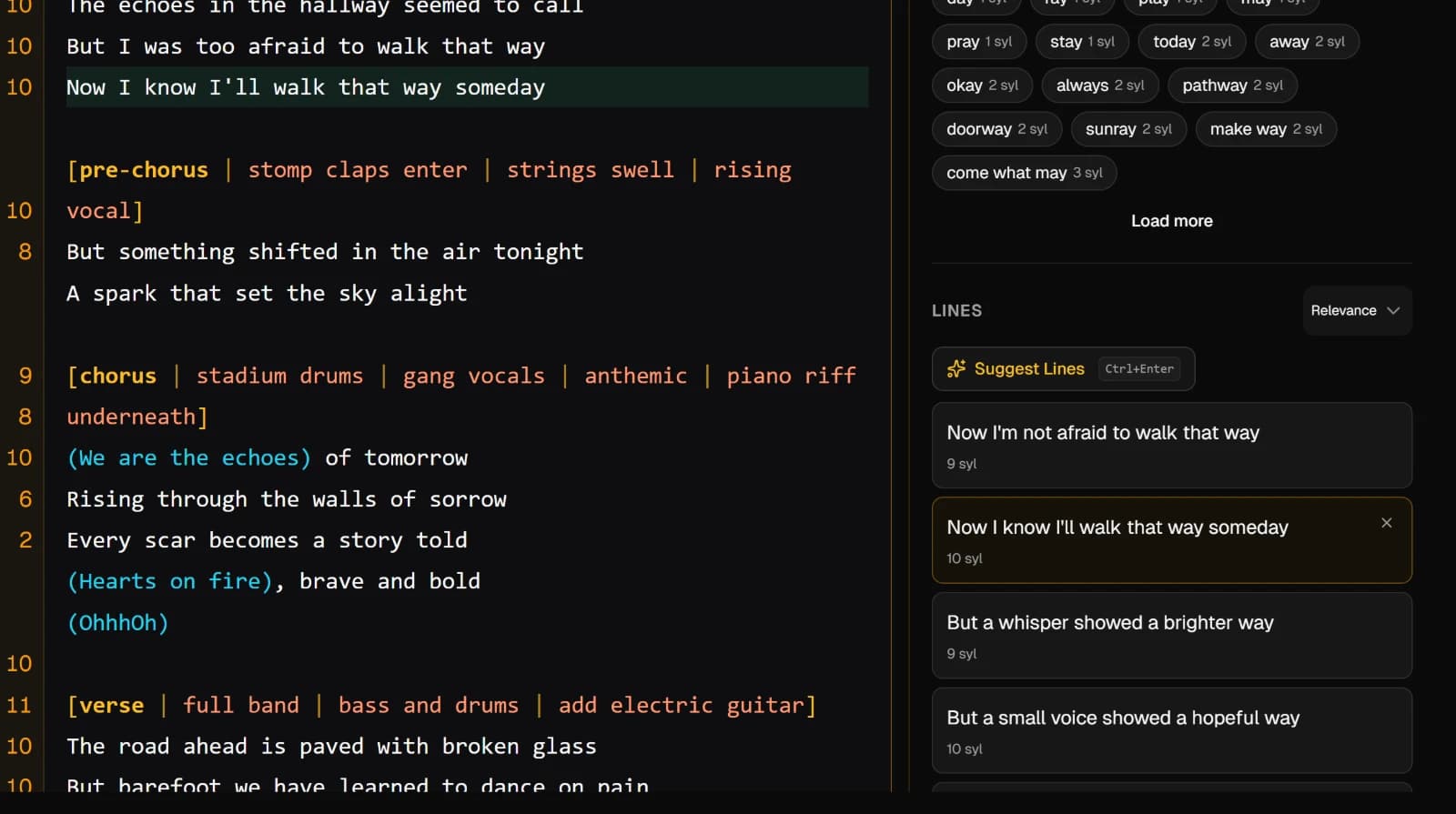
Press Smart Lyrics above the song. The cards become one page of text. Each section starts with a header in square brackets holding its type and its Suno tags, the way Suno reads them. Write the way you would in a notebook.
The panel on the right becomes Smart Lyrics. Its Lyrics mood starts on Creative, the default. Pick another mood there and it shapes the rhymes and suggested lines for this variant, and this browser remembers it.
5. Find a rhyme or a next line
Put your cursor on a line. Under Rhymes, the last word of that line is already in the field; press Search for words that rhyme with it, or type another word.
Under Lines, press Suggest Lines, or Ctrl+Enter, for lines that could follow. Click a suggestion to add it under your cursor. Click another and it replaces the first, so you can try several in the same spot. Ctrl+Click adds it as one more line instead.
Press Structured to go back. The page is split into sections again at each bracketed header, so keep the headers when you edit.
NoteRhyme search is on every plan. Suggest Lines is a premium action; on the free plan it uses one of the month's premium previews.