A rewrite, a meter fix or a request to the Lyrics Assistant comes back as a card on the right before it touches your song. You read it, compare the options, and your lyrics change when you approve.
1. Open the section's actions
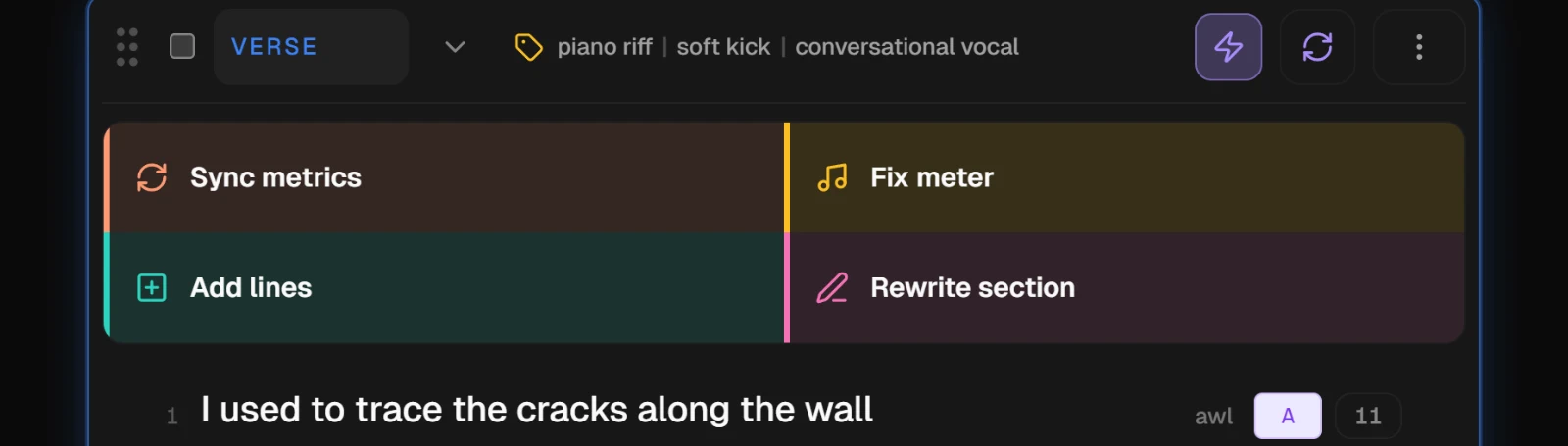
Every section card has a lightning button at the right of its header. Press it and the section's AI actions open under the header: Sync metrics, Fix meter, Add lines and Rewrite section.
2. Ask for a rewrite
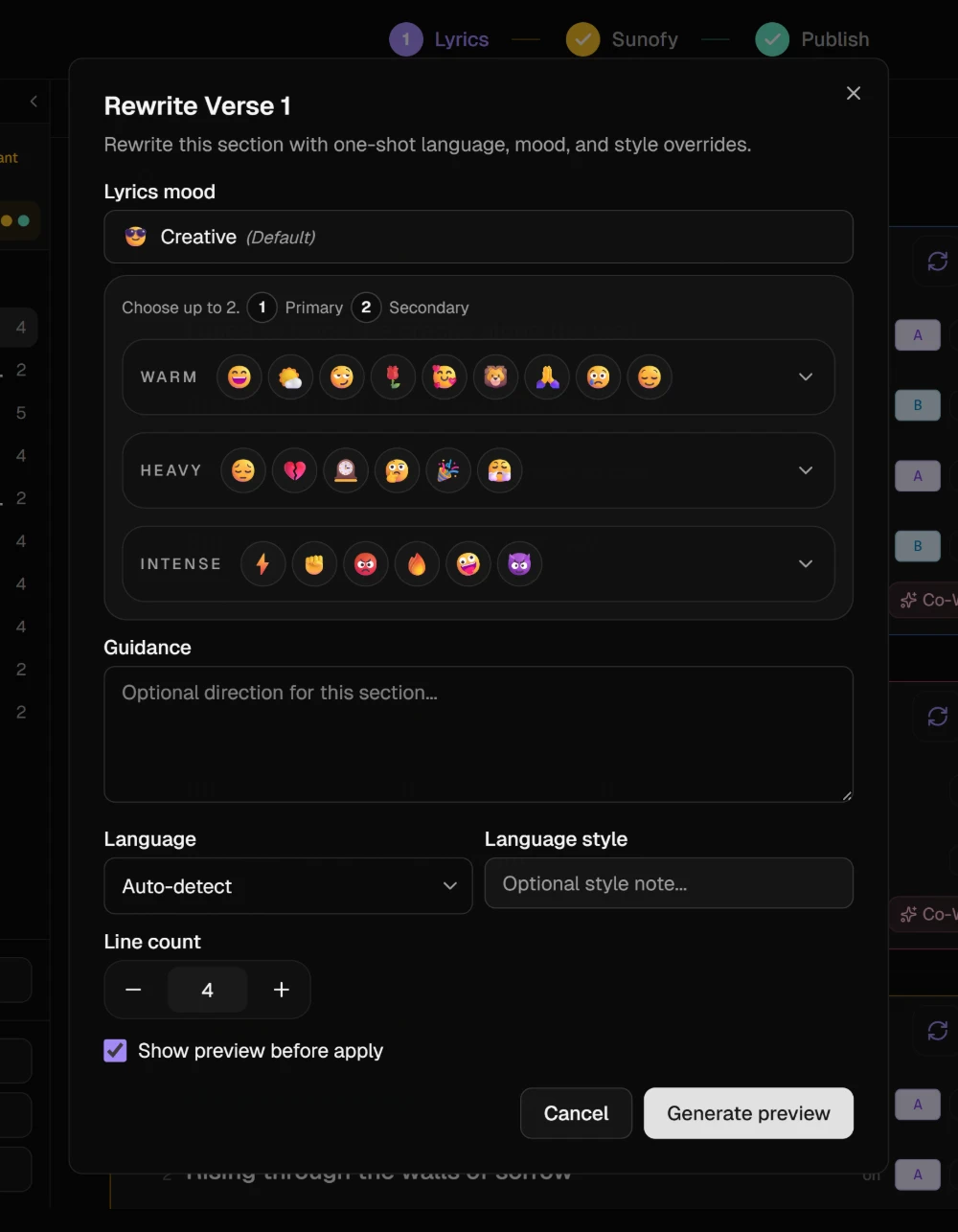
Rewrite section opens a short form. Under Guidance, say what you want in plain words, such as "Turn it toward hope, and keep the rhymes in place". The language, the style and the line count are there if you want to change them for this one rewrite.
Leave Show preview before apply ticked and press Generate preview. The section locks while the AI works on it and shows Working in its header. Untick it and the button becomes Write section, which writes the rewrite straight into the section with no card.
3. Compare the options
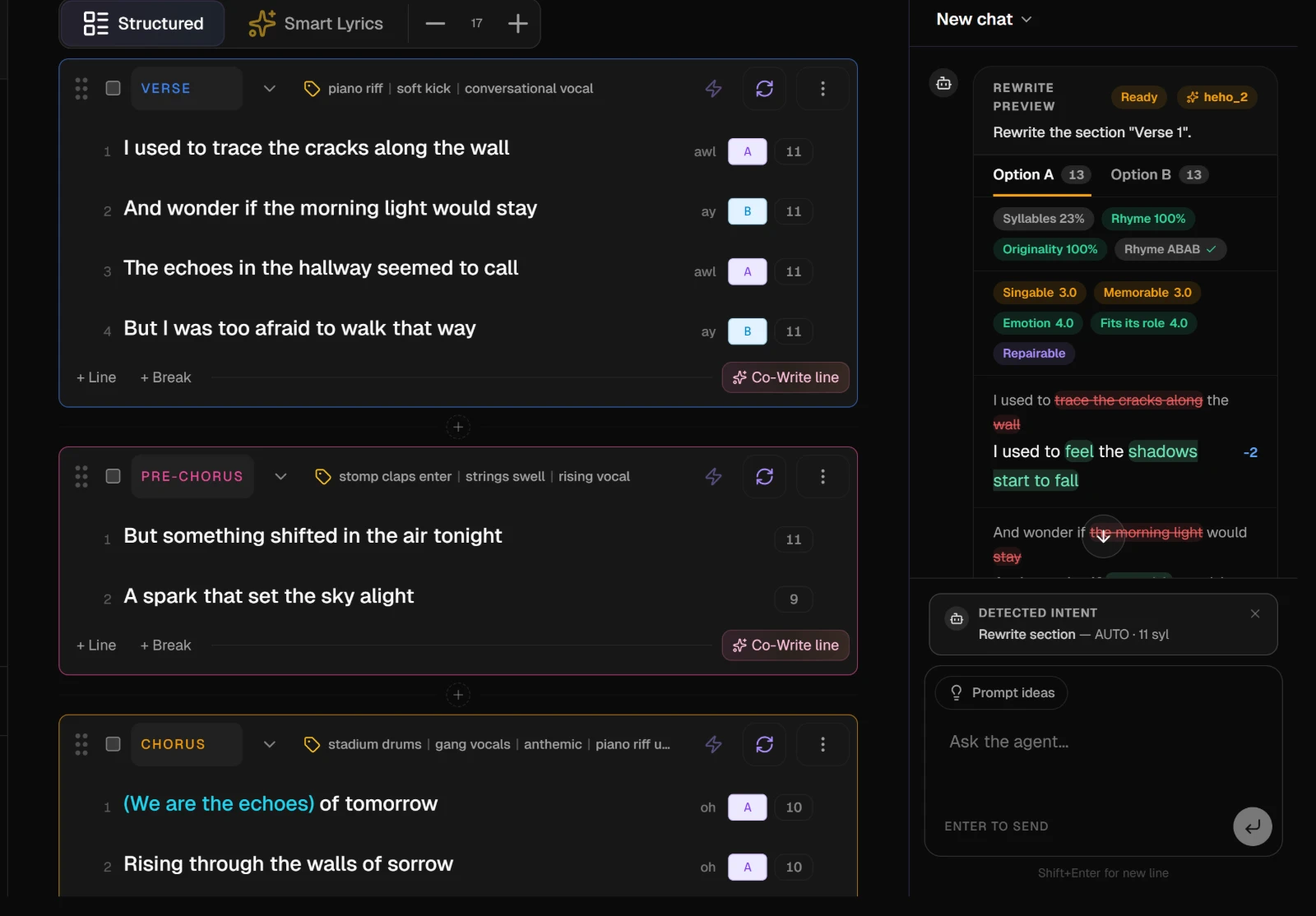
The result arrives as a Rewrite preview card in the Lyrics Assistant panel. When there are two takes, Option A and Option B sit side by side as tabs, each with an overall score.
Under each option the card shows how it scores on syllables, rhyme and originality, whether the syllable counts and the rhyme scheme were kept, and a short critique: singable, memorable, emotion, fits its role. Each changed line says how many syllables it gained or lost.
4. Approve or reject
Approve A, or Approve B, writes that option into the section, and the card turns to Applied. Reject throws the card away and leaves the section as it was.
When the critique finds weak lines it can fix, a Repair button appears between the two. It reworks those lines and gives you a new card to review.
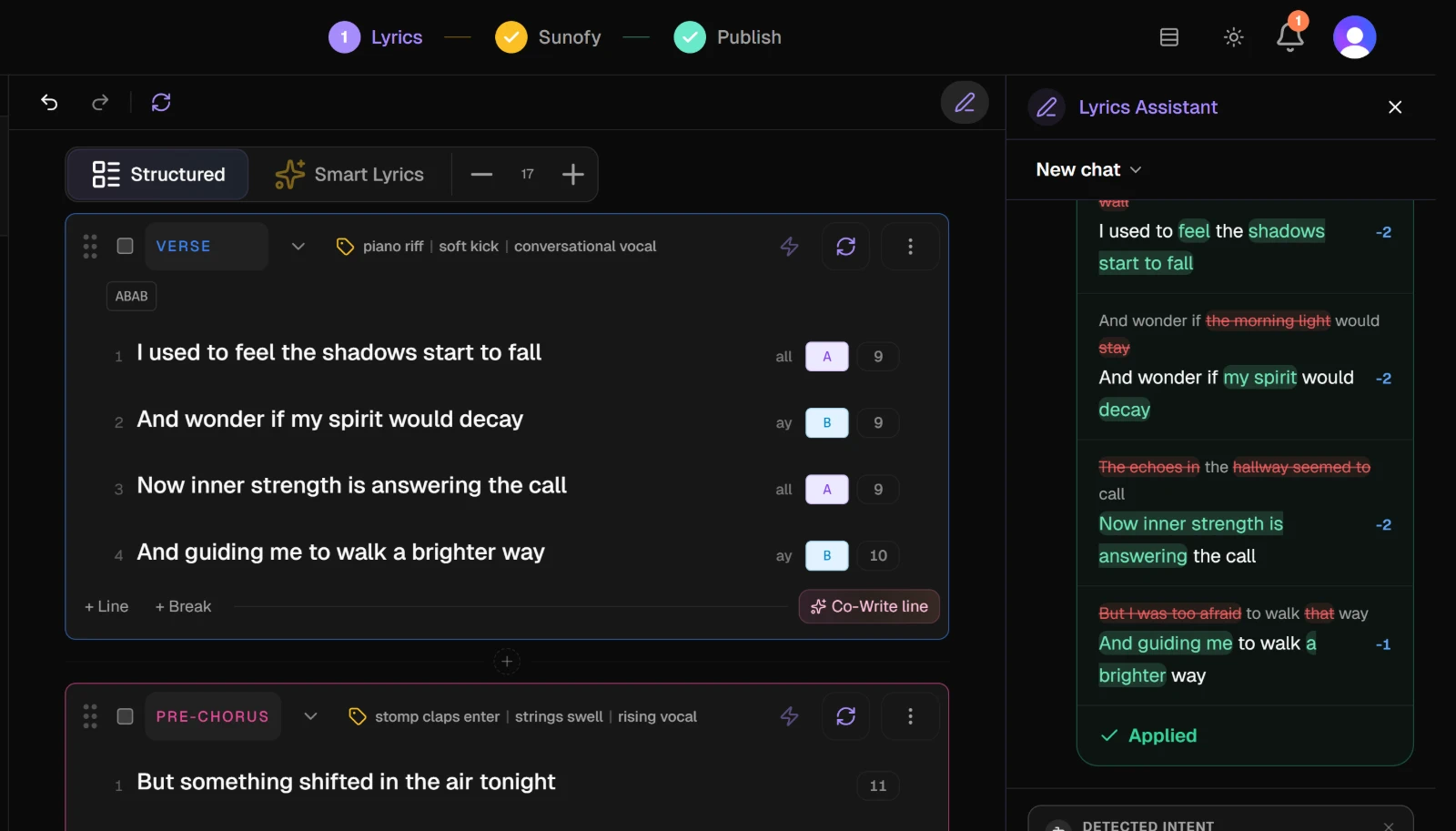
NoteIf you change your mind after approving, press Ctrl+Z, or the undo arrow at the top left of the editor, to put the section back. The undo history lives in the open page, so a reload clears it.
Cards from the Lyrics Assistant
Ask the Lyrics Assistant for a change in the chat and the answer comes back as a card too, grouped by section. Each changed line shows the old text struck through above the new one.
| Button | What it does |
|---|---|
| Apply | Writes that one line into the song |
| Apply section | Writes every suggested line in that section |
| Apply all | Writes every suggestion on the card |
| Retry | Asks again for that line |
| Dismiss | Drops that suggestion; Dismiss all drops the rest of the card |
| Undo | Appears on an applied line and puts the old text back |
If you edited a line after the card was made, applying it changes nothing and a message says: "This line changed after the suggestion was made. Ask for a new one." Dismiss that suggestion, or ask again.
A new request closes the card before it. Lines you applied stay in the song, and anything you had not applied is dropped. A card you have not finished with is still there after a reload.
The Suno Assistant uses the same kind of card for tags. Tag your song for Suno covers it.